Agent
Bilang individual LottoMatik Agent, pwede mong dagdagan ang kita ng negosyo mo by making it a one-stop destination for PCSO lotto tickets through our LottoMatik device.
Use the email and password from your agent registration.
Secure agent access only
Enter your agent Gmail address and we will send you a reset link.
Bilang individual LottoMatik Agent, pwede mong dagdagan ang kita ng negosyo mo by making it a one-stop destination for PCSO lotto tickets through our LottoMatik device.
Create your agent login credentials.
Complete your agent profile information.
Your Agent ID will be generated automatically after registration.

| Grand Total | |
|---|---|
| Gross | ₱0.00 |
| Hits | ₱0.00 |
| Commission | ₱0.00 |
| Kabig | ₱0.00 |
Loading games...
Loading games...
Select a game to start bet entry.
No bets yet. Add a bet from the keypad.
Scan a player’s ticket QR to confirm their bets and check for wins.
Align a ticket QR or Vanguard setup QR inside the frame
Enter the official winning numbers for each draw.
|
2:00 PM
|
|
|---|---|
| Gross | ₱0.00 |
| Hits | ₱0.00 |
| Commission | ₱0.00 |
| Kabig | ₱0.00 |
|
5:00 PM
|
|
|---|---|
| Gross | ₱0.00 |
| Hits | ₱0.00 |
| Commission | ₱0.00 |
| Kabig | ₱0.00 |
|
9:00 PM
|
|
|---|---|
| Gross | ₱0.00 |
| Hits | ₱0.00 |
| Commission | ₱0.00 |
| Kabig | ₱0.00 |
Maximum total amount allowed per number per draw time, shared across all agents. Saving here sets the same limit for 2PM, 5PM, and 9PM. Use admin Settings to set different limits per draw.
—
Your registered account and agent profile information.
Let your coordinator scan your QR code or enter your Agent ID to claim you.
Waiting for scan or claim
Sales, hits, commission, and kabig for the selected month.
Quick answers for Lottomatik agents.
Sign in with your registered agent account to access ticket sales, scan tools, and your commission summary from the bottom navigation.
Use the Scan tab to scan a ticket QR code or enter the ticket number manually. The app shows ticket details and whether the ticket is a winner.
From Settings → Agent ID verification, show your QR code so customers or coordinators can confirm your registered agent ID.
After submitting a ticket, tap Print Receipt. For first-time setup, open Settings → Configure printer for Bluetooth pairing instructions and a test print.
Your commission summary appears at the top of Settings. Monthly and total figures update when commission data is available from your coordinator.
Contact your area coordinator or support team if you cannot sign in, need account changes, or have payout questions.
How we handle your information.
Last updated: July 2026
This Privacy Policy explains how the Lottomatik PCSO 3D Lotto Agent app collects, uses, and protects information when you use the service as a registered agent.
Your session is stored locally on your device while signed in. Server-side records are protected using access controls appropriate for financial and account data. Do not share your login credentials or leave your device unlocked while signed in.
We do not sell your personal information. Data may be shared with authorized coordinators, administrators, and service providers only as needed to operate the platform, settle commissions, or meet legal obligations.
You may review your account details in Settings. To update profile information or request account closure, contact your coordinator or support team.
For privacy questions, contact your assigned coordinator or the platform support team through your official support channel.
Rules for using the agent app.
Last updated: July 2026
By using the Lottomatik PCSO 3D Lotto Agent app, you agree to these Terms of Use. If you do not agree, do not use the service.
This app is for registered PCSO lotto agents only. You must use your own account, keep your credentials secure, and operate only in areas and capacities approved by your coordinator.
Submitted tickets are final once confirmed by the system. You are responsible for collecting payment from customers according to your operating procedures. Commission rates and payout schedules are determined by your coordinator and platform policy.
We may update, suspend, or restrict features for maintenance, security, or compliance. We are not liable for delays caused by network outages, device issues, or events outside reasonable control.
The app is provided for authorized agent operations. To the extent permitted by law, the platform operator is not liable for indirect losses arising from misuse, connectivity problems, or failure to follow official procedures.
These terms may be updated from time to time. Continued use of the app after updates means you accept the revised terms.
Questions about these terms should be directed to your coordinator or official support channel.
How to connect your Bluetooth thermal printer.
Follow these steps to connect your thermal printer before printing receipts from the app.
Once setup is complete, return to this app and tap Print Receipt after submitting a ticket.
Choose which receipt design to print. Lottmatik receipt is the default.
Drag the sliders and watch the preview update. Settings stay on this phone.
Column headers (th)
Bet rows (td)
Other agents open Scan and scan this QR to apply your Vanguard layout automatically — no manual slider setup.
Print a sample receipt to confirm your printer setup. This uses test data only (ticket number 0000000000).
Are you sure you want to log out of your agent account?
Your account is not yet verified by a coordinator. Follow these steps so you can start selling tickets.
You have winning tickets for this date.
₱0.00
Total hits
Add the app to your home screen for faster access and offline-ready ticket sales.
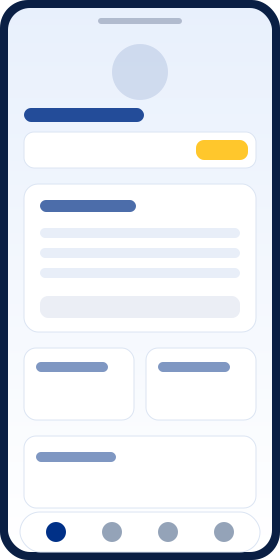
Track gross sales, hits, commission, and kabig from your home dashboard.
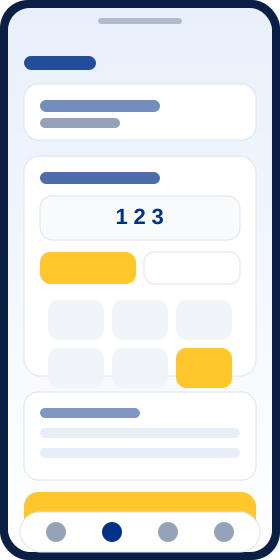
Place bets with an easy keypad, manage your slip, and print receipts instantly.
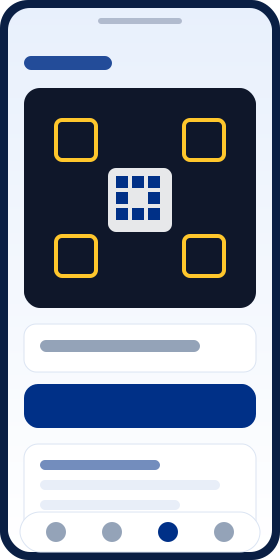
Use your camera or enter a ticket number to look up and verify bets on the spot.
On iPhone: tap Share, then Add to Home Screen.